



Summary
WhatsApp Business only works for multiple users on the WhatsApp Business API, not the free app, which is built for one device. The API gives each employee their own user inside one shared number, with teams and labels to route conversations to the right branch. For multi-location businesses, set up routing before adding users.
TL;DR
- The free WhatsApp Business app only works on one device, so multiple users on one number require the WhatsApp Business API.
- The API works with users, teams and labels, so conversations land with the right branch or department automatically.
- Locations that define routing before adding users avoid the chaos that usually shows up once a third branch or a full sales team joins.
- A comparison table further down sets the free app, a self-built API setup, and a managed setup like Saysimple's side by side, including indicative pricing.
At car dealer groups with more than one location, WhatsApp usually follows the same pattern. Sales starts using it, the service department joins once customers start asking for it there too, and within a few months the number is open on five phones at once. Nobody planned it that way, it just grew.
The problem isn't that several people are using WhatsApp. The problem is that the free WhatsApp Business app is built for exactly one device. The moment a second, third, or tenth colleague needs to read along, messages get missed, customers get answered twice, and the inbox stops having a clear owner. The fix isn't working harder inside the same app, it's moving to the WhatsApp Business API, where users, teams and routing are part of the setup from day one.
This guide walks through what that looks like for a growing, multi-location team: what the API actually gives you, how to approach the setup step by step, and why the order you do it in decides whether you end up with a system or a second version of the same chaos.
Why "just add another person" stops working at branch three
Multi-location car dealer groups tend to run into the same handful of WhatsApp tasks: following up on website leads, booking test drives, chasing sales appointments, and coordinating between branches and departments. Those naturally belong to different teams, sales, aftersales, or the front desk, but in practice they all land on the same single WhatsApp number once a business is still on the free app.
With two or three people reading along, a shared device or forwarded screenshots just about holds up. At branch three, or at branch one with a full team, it stops working. There's no system deciding who picks up a conversation, you're improvising, and improvising on customer contact means someone gets asked the same question twice or a test-drive request sits untouched for a day.
What the WhatsApp Business API actually changes about multiple users
Saysimple is a B2B Commerce Customer Engagement Platform, omnichannel, for WhatsApp Business and other channels, powered by AI and automation, built on top of that same WhatsApp Business API. The API is what makes the difference: instead of one device with one login, you work with separate users, teams and labels inside one shared inbox. A conversation can route to the right team automatically based on a label, a user only sees the conversations assigned to them, and nobody has to guess who's already handling what.
One practical side effect of the API is the rule around template messages: starting a new conversation inside the so-called 24-hour customer care window requires an approved template message first, not just any message like in the free app. That sounds like a restriction, but in practice it forces a business to decide upfront which message fits which situation, which makes routing clearer rather than more complicated.
Setting it up in practice: from the free app to structured access
A realistic order for a multi-location team looks roughly like this:
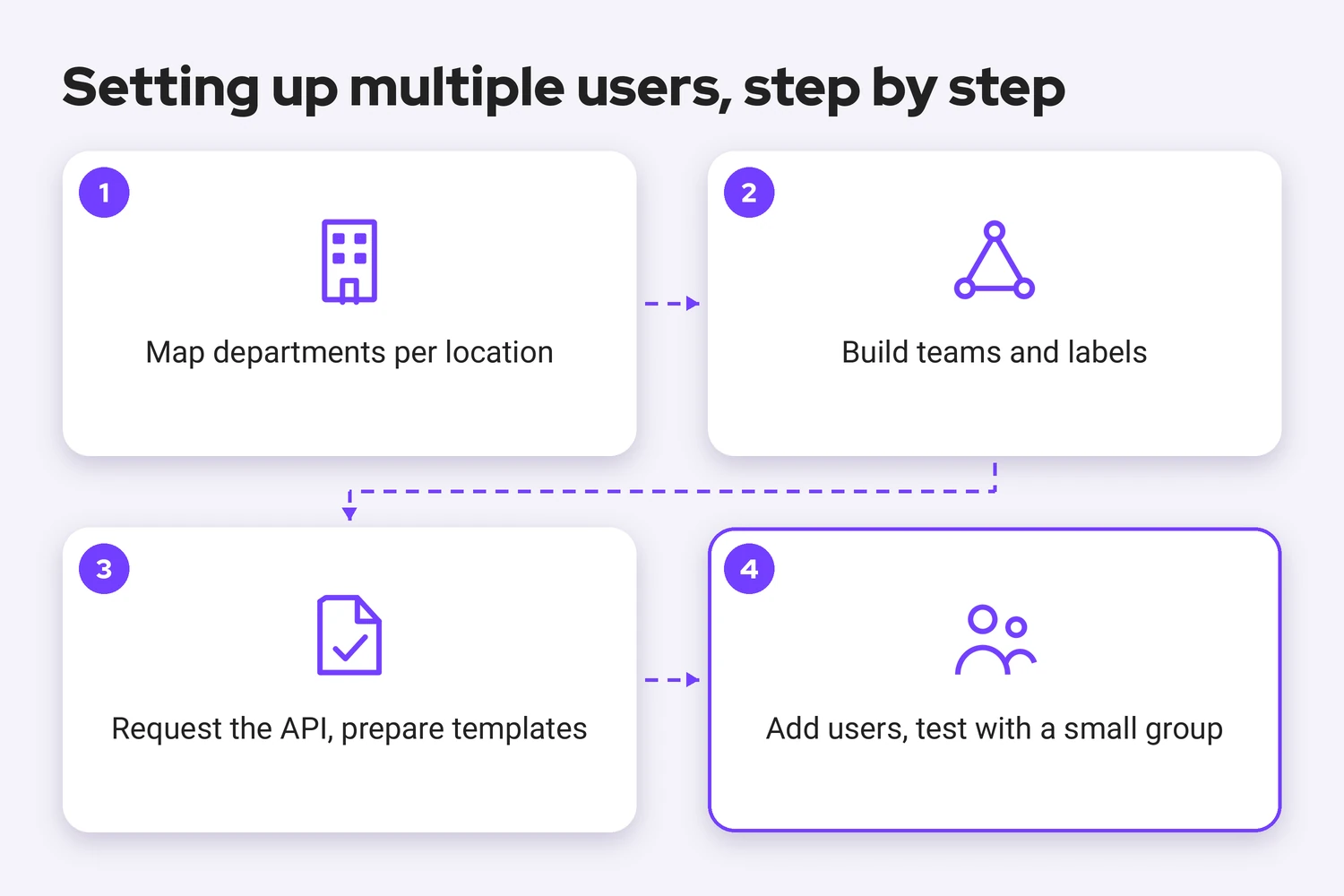
- Map out which departments actually handle WhatsApp traffic, think sales, aftersales and the front desk per location, before a single user account gets created.
- Build teams and labels around those departments, so a conversation lands with the right group automatically instead of whoever happens to reply first.
- Request the WhatsApp Business API and get the approved template messages ready per situation, such as a test-drive confirmation or a workshop status update.
- Only then add individual users, with access that matches their role, and test the routing with a small group before rolling it out to every location.
That's the exact pattern behind BMN Building Materials, a building-materials wholesaler with 85 branches across the Netherlands. They rolled WhatsApp out in phases, starting with one cluster of branches, then brought every location together under a single central number where customers are automatically routed to their own, familiar branch via smart routing. The number behind their case: a 72% faster response time. BMN is in a different sector than car dealers, but the underlying problem, many locations and many users on one number, is identical.
Free app, self-built API, or a managed setup: a comparison
The three routes to multiple users on one WhatsApp number differ quite a bit in what they actually deliver:
| What you need | Free WhatsApp Business app | WhatsApp Business API, self-built | WhatsApp Business API via Saysimple |
|---|---|---|---|
| Simultaneous users | One device, one login | Multiple, depending on your own build | Multiple, with roles and teams set up by default |
| Routing to branch or department | Not possible | You build it yourself | Ready to use via smart routing |
| Indicative setup time | Immediate, but breaks down with growth | Weeks, depending on your own development capacity | Hours to a few days |
| Indicative cost | Free | Depends on your own build and upkeep | From €119 per month (billed annually) |
Run your own numbers through the WhatsApp pricing calculator for a more precise picture than a general table can give.
Closing thoughts
Multiple users on one WhatsApp number isn't a technical problem that solves itself once you add enough people. It's a structure question: who gets which conversation, and when. Locations that settle that upfront, through teams, labels and template messages, grow without turning the inbox into a dumping ground. Locations that skip it run into the same wall as branch three eventually: too many people, not enough structure.
Saysimple also supports this in English, Spanish and Dutch, useful when branches don't all share the same preferred language.
Want to see how this would work across your own locations? Request a demo with Saysimple and we'll walk through the setup with you.
Sources
- WhatsApp Business Platform, Meta's own overview, the source for the distinction between the single-device free app and the API built for use by multiple people.
- Saysimple Help Center: the 24-hour customer care window, the source for the rule that a new conversation must start with an approved template message.



