WhatsApp Business
5 min read
Black Friday Ecommerce Chatbot: 7 Queries You Should Automate





A WhatsApp chatbot for your online store should first handle the seven questions that repeat on Black Friday: order status, shipping, stock, offer terms, returns, payments and opening hours. With a no-code rules flow, customers get an instant answer and your team only takes the cases that need human judgment.
Every November the same thing happens in an ecommerce support team: volume multiplies, but the questions are not new. They are the same ten as always, repeated hundreds of times, and a small team cannot answer them by hand while orders keep coming in.
Our view is simple: do not start with artificial intelligence, start with the seven questions you already know. This post lists them, shows how to build them in WhatsApp and says when a person should step in. For the rest of your preparation, read the WhatsApp Black Friday guide, the Black Friday customer service checklist and the 10 WhatsApp templates for Black Friday.
Automating customer service in ecommerce lets you absorb the peak without hiring more people. A WhatsApp chatbot for ecommerce answers instantly at any hour and frees your team for the cases that need them. A customer service chatbot available 24 hours does not replace your team, but it covers the night and the weekend.
One point matters to avoid false expectations. A rules flow, like the ones you build in Flow Builder, only says what you have written. It does not generate free text or improvise answers. For prices, stock and discount codes that is an advantage, because the bot cannot promise an offer that does not exist.
These are the frequent questions to automate with a chatbot for an online store, in the order we would build them.
This is the query that automates best, because the answer already lives in your system. The customer taps one of the reply buttons, types the order number, and the flow checks your system through a webhook or an API call to return the order status. That is how a WhatsApp chatbot for order status works, and it is the first WhatsApp order tracking flow we would build.
No lookup is needed here. The flow sends an interactive message with delivery times and costs per zone, and warns if Black Friday delays shipping. Review the text every year, because an outdated delivery time causes more complaints than no answer at all.
Connect the flow to your inventory so the customer can ask about a product and get available or sold out. If you have no live connection, a message pointing to the product page is better than a stock number that is no longer true.
Write the terms once: dates, included products and how to apply the discount code. The bot repeats the same text every time, which is why we use rules and not free generation at this point. If a customer says the code does not work, hand over to a person.
A returns chatbot on WhatsApp can explain the deadline, ask for the order number and send the instructions. Do not automate the decision to accept a return outside the deadline: that belongs to a person.
The bot explains the available payment methods and how to request an invoice. Problems with a specific charge do not belong here: they involve sensitive data and judgment, so hand them over.
Answer with the opening hours and offer a button to talk to an agent. If the team is closed, the bot says so clearly and collects the reason, so nobody starts from zero tomorrow.
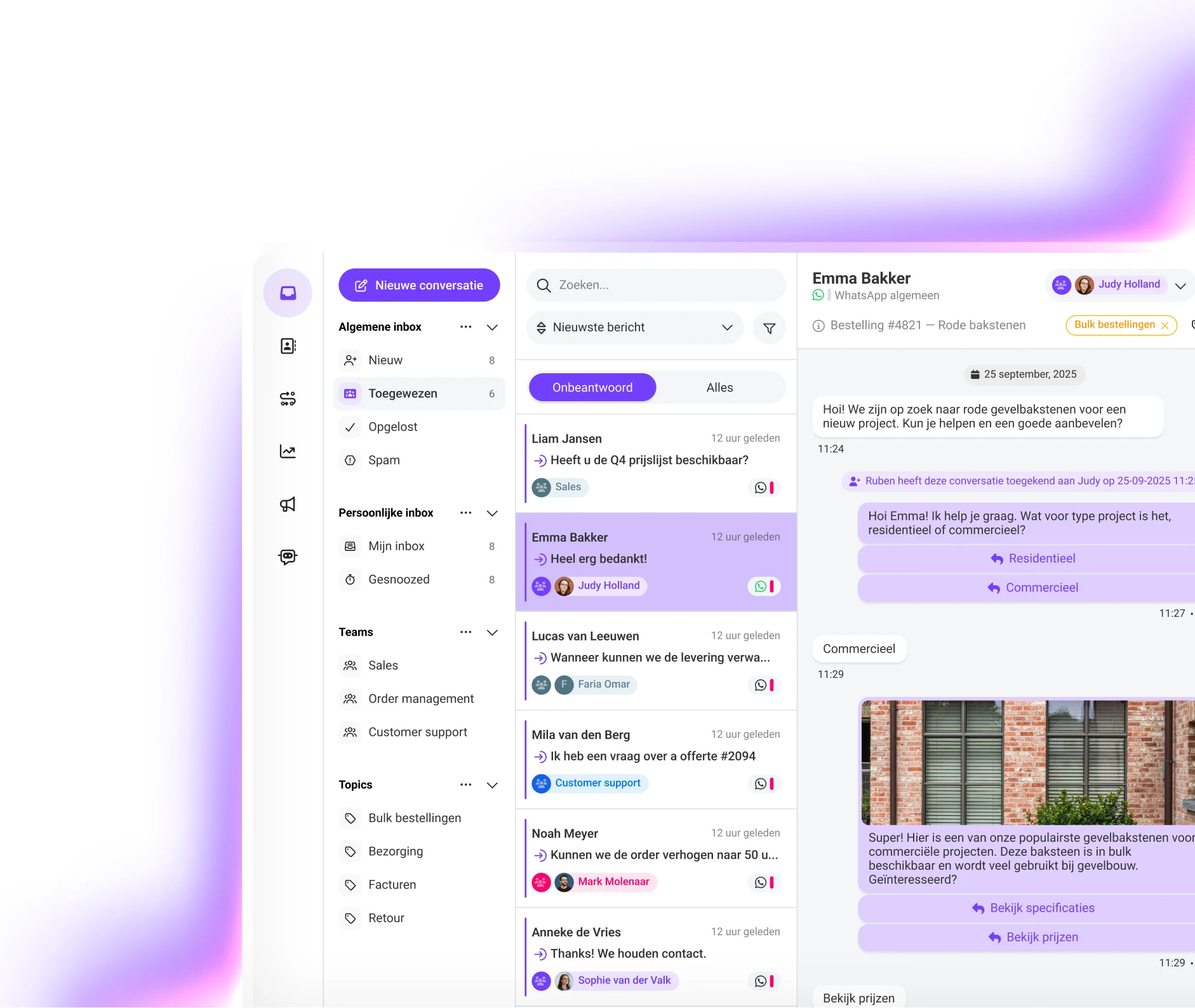
To build a WhatsApp chatbot for Black Friday without programming, use the Saysimple Flow Builder for WhatsApp flows without code, a visual editor where you connect menu, button and message blocks. It works with predefined flows and interactive menus, so you decide every answer. It is a no-code chatbot for ecommerce that your team can change without a developer.

The basic layout has four steps. A welcome menu with three options, a button for the option chosen, a response with the data the customer needs and a branch that hands over to an agent if the flow cannot solve it. Start with My order and expand from there.
For order status, connect the flow to your store through a webhook or an API call; the custom integration with the Saysimple API allows it. If you want the flow to understand free text, there is AI intent recognition in Flow Builder, but you do not need it for Black Friday.
Hand over to a human agent as soon as the bot cannot solve the case or the topic is sensitive. A good handover means the customer does not repeat everything, because the chat reaches the WhatsApp Business shared inbox with the conversation in view. Handing a chatbot over to a human agent works well with three signals: the customer asks for a person, the flow fails twice in a row, or the reason is a charge, a complaint or a code that does not work.
Outside opening hours, the bot should say so and leave the case ready. Remember that once 24 hours have passed since the customer's last message, you can only write with an approved template, according to Meta's rules.
Measure results, not activity. These four indicators tell you whether the flow helps or gets in the way.
| Indicator | What it tells you | Warning sign |
|---|---|---|
| Resolution without an agent | How many conversations the bot closes | Many customers ask for a person after the first menu |
| Handovers per query | Which flow is failing | One query accounts for almost all handovers |
| Time to first reply | Whether the peak is under control | It rises during peak hours |
| Drop-off inside the flow | Where customers give up | They leave at the step that asks for the order number |
Check the numbers every day during the campaign, using the Saysimple customer service analytics, and adjust the text of the query that hands over most. A Black Friday flow gets fixed on the fly.
These are the frequently asked ecommerce Black Friday questions about chatbots.
Yes. With a visual builder like Flow Builder, a simple FAQ flow is quick to set up. The real time depends on its complexity and on whether you connect it to your order system.
The customer enters the order number and the flow checks your system through webhooks or API calls to return the status.
Dates, included products, terms and how to apply the discount code, always with the text you approved. For an exceptional case, hand over to a person.
It answers the queries you automated at any hour. Anything that needs human judgment is logged for your team and picked up when you open.
Add a Talk to a person button to the flow and a branch that triggers when the bot fails. The agent receives the full chat in the shared inbox.
Pick the seven queries, write each answer, build the menu and buttons in Flow Builder, connect the order lookup and test the flow before the campaign.
A rules chatbot always answers what you wrote, which suits prices, stock and offers. A generative AI bot writes free replies and can get them wrong. Flow Builder works with predefined flows and interactive menus, not with generative AI writing the answers.
It means using flows, buttons and templates so repeated questions resolve themselves, leaving your team free for the cases that need judgment.
Start with order status, then shipping and stock. Leave doubtful charges and complaints to a person.
If you arrive with the seven queries automated, Black Friday becomes a peak your team controls. Check the campaign terms on the Saysimple Black Friday hub and book a demo of the Saysimple WhatsApp chatbot to see your own flow live.
Discover how Saysimple centralizes your customer communication, connects your teams, and automates processes.
Book a demo