



Summary
Bulk and broadcast messaging on WhatsApp works completely differently from a normal one-on-one reply, and treating it the same way is one of the fastest routes to a blocked number. This post covers what actually counts as bulk messaging, why pre-approved templates and real opt-in are non negotiable outside a live conversation, and how list hygiene and sending cadence separate a campaign that performs from one that gets reported as spam.
TL;DR
- Any message you send to someone outside an active conversation, and especially to more than one person at once, counts as bulk or broadcast messaging and falls under WhatsApp's marketing rules, not its support rules.
- Outside the 24 hour customer care window, every bulk message has to go out through a template Meta has already approved. There's no way around this on the official Platform.
- Real, recorded opt-in and proper segmentation matter more than the template wording itself. Messaging people who never agreed to hear from you, or blasting an entire contact list instead of a relevant slice of it, is what actually triggers spam reports and quality score drops.
- The free WhatsApp Business App caps broadcast lists at 256 contacts and has no way to schedule, segment, or track delivery at scale, which is why compliant bulk sending realistically requires the WhatsApp Business Platform.
Somebody on a growing team eventually wants to send one message to a few hundred customers at once, an early booking discount, a restock alert, a reminder about an expiring quote. The moment that message goes to more than one person outside an active conversation, it stops being a normal WhatsApp reply and starts being bulk or broadcast messaging, which plays by a different set of rules entirely. Get those rules wrong and the result isn't a slow campaign, it's a blocked number, something we cover in more depth in our piece on WhatsApp Business App account blocks.
This post is the practical side of that problem: how to actually run bulk WhatsApp campaigns without tripping the rules that get accounts flagged.
Picture a marketing team that prepares a promotion for its whole customer base and sends it on a Friday from the usual WhatsApp Business number, with no approved templates. A few hours later, several customers have blocked the number or reported the message, the account is restricted, and the team can no longer even answer the customers who were waiting for a reply. No bad intent is needed to get there: it is enough to treat a bulk send like a normal conversation. This is an illustrative scenario, not a real customer case.
What actually counts as bulk messaging
WhatsApp draws a hard line between a reply inside an existing conversation and a message you initiate to someone who hasn't messaged you recently. Reply to a customer within 24 hours of their last message and you're in the customer care window, free form text is fine. Send anything outside that window, to one person or a thousand, and you're initiating a business conversation, which WhatsApp treats as marketing regardless of how personal it feels. Bulk or broadcast messaging is simply that second case at scale: the same rules, applied to a list instead of one contact.
| Scenario | Customer care window (within 24 hours) | Business-initiated / bulk (outside 24 hours) |
|---|---|---|
| Message format | Free-form text is allowed | Must use a template Meta has pre-approved |
| Recipient count | One-to-one reply to an active conversation | One or many; treated as marketing regardless of scale |
| Consent requirement | Implied; the customer already messaged first | Explicit, recorded opt-in required beforehand |
| Risk if rules are ignored | Low | Spam reports, quality score drops, number blocks |
Why templates aren't optional for bulk sends
Every message sent outside the 24 hour window needs a template Meta has approved in advance. That requirement exists on the official WhatsApp Business Platform specifically to stop exactly the kind of unsolicited blast that gets accounts reported. We've written separately about how template approval works and how the Platform differs from the free App in our App versus Platform comparison, so we won't repeat that here. What matters for bulk sends specifically is that a template locks in your message structure ahead of time, which means there's no last minute rewrite that quietly turns a service update into something that reads like spam to Meta's systems.
Consent comes before the send button, not after
A template being approved says nothing about whether you're allowed to message a specific person with it. That's a separate requirement: WhatsApp expects genuine, recorded opt-in before someone lands on a broadcast list, not an assumption that a past purchase or a form fill years ago still counts. If a recipient doesn't remember agreeing to hear from you, they report the message, and enough reports drag down the quality score tied to your number. Our take is that most compliance problems on WhatsApp aren't really template problems at all, they're consent problems wearing a template shaped disguise.
Segmentation is what keeps a broadcast list from becoming a liability
The instinct to message an entire contact list at once is understandable and almost always a mistake. Saysimple's own contact management is built around lists and labels specifically so a send can target the customers a campaign actually applies to, rather than everyone who's ever messaged the business. That distinction matters more than it sounds: a promotion aimed at people who bought a specific product reads as useful to that group and as noise to everyone else, and noise is what gets reported. It's also worth knowing that the consumer WhatsApp app caps a broadcast list at 256 contacts with no segmentation tools at all, which is a hard ceiling long before most growing teams actually need to stop sending.
Cadence: how often is genuinely too often
There's no official number Meta publishes for maximum sends per week, but the quality score system punishes frequency indirectly. A customer who gets three promotional messages in a week they didn't ask for is far more likely to report the fourth one, even if each individual message was perfectly compliant. Spacing campaigns by segment rather than sending every list every time keeps that pressure lower, and it's the kind of pacing a scheduling and flow tool handles automatically once a team is past manually deciding when to hit send.
How many people you can reach: your sending tier
On the Platform, Meta does not let you message everyone from day one either. How many different people you can message in 24 hours depends on your sending tier, which in turn depends on your volume and on your account's quality rating. That is why a big send to a list without consent does not only risk a block: it can also hold back your next campaigns. We explain the tiers and how accounts move between them in our article on the quality rating.
Broadcast list, WhatsApp group and Platform: what is the difference
Many people search for "WhatsApp broadcast group" when they actually mean a broadcast list, and the two are not the same thing. In a group every member sees every other member and can reply in front of the rest, so a group is no use for sending a campaign. A broadcast list sends the message to each contact separately, but it is still a feature of the free App, with its limits. The WhatsApp Business Platform is the third option, and the only one built to send at scale.
| What you need | Broadcast list (free App) | WhatsApp Business Platform |
|---|---|---|
| Recipients per send | Up to 256 contacts per list | Depends on your sending tier, which is tied to your quality rating |
| Who receives it | Only contacts who have saved your number | Any contact with recorded consent (opt-in) |
| Meta-approved templates | No | Yes, required outside the 24-hour window |
| Segmentation and scheduling | No | Yes, with lists, labels and flows |
| Delivery reporting | No | Yes |
What a campaign costs
On the Platform, marketing templates are billed per message, based on the recipient's country. The October 1, 2026 pricing change affects service messages and in-window utility templates inside the 24-hour window, not marketing campaigns, which are billed as before. You will find the numbers and examples in how much WhatsApp messages will cost from October, and you can estimate your own campaign with the Saysimple WhatsApp Pricing Calculator.
Doing this on the free App versus a real Platform
None of the above is really possible to do properly on the free WhatsApp Business App. It has no template approval workflow, no segmentation beyond a 256 contact cap, and no reporting to tell you which campaign actually triggered the complaints. Saysimple's Engage broadcast module and Flow Builder exist specifically to close that gap: campaigns run through approved templates by default, contact lists and labels handle segmentation, and delivery and engagement reporting shows what's working before a quality score problem shows up. A team that's already outgrown the free App for day to day messaging has usually outgrown it for bulk sending long before they notice.
None of this replaces good judgment about who actually wants to hear from a business. It just gives that judgment somewhere to be enforced automatically instead of relying on someone remembering to check a list by hand before every send.
Frequently asked questions
Why can WhatsApp block me for sending bulk messages?
Because WhatsApp reacts to how recipients respond, not to your intent. If many of the contacts you write to block your number or report the message as spam, your quality rating drops and restrictions follow. It happens mostly with sends without consent, without approved templates or to lists that are not segmented. We cover it in detail in our article on WhatsApp Business App account blocks.
Is a WhatsApp broadcast group the same as sending through the API?
No. In a group every member sees every other member, and a broadcast list in the free App is capped at 256 contacts, with no segmentation or reporting. The WhatsApp Business Platform (the API) lets you run large campaigns with Meta-approved templates, segmented lists and delivery data.
What are WhatsApp message templates?
Predefined messages that Meta reviews and approves before you can send them outside the 24-hour window. If you want to know why some get rejected and how to write ones that pass, see our WhatsApp template guidelines.
Do I need my contacts' consent to send broadcasts?
Yes. You need valid, recorded consent (opt-in) from each contact before sending a marketing message. Keep a record of how and when you got it: it is the first thing you will want to be able to show if someone reports your number.
Closing thoughts
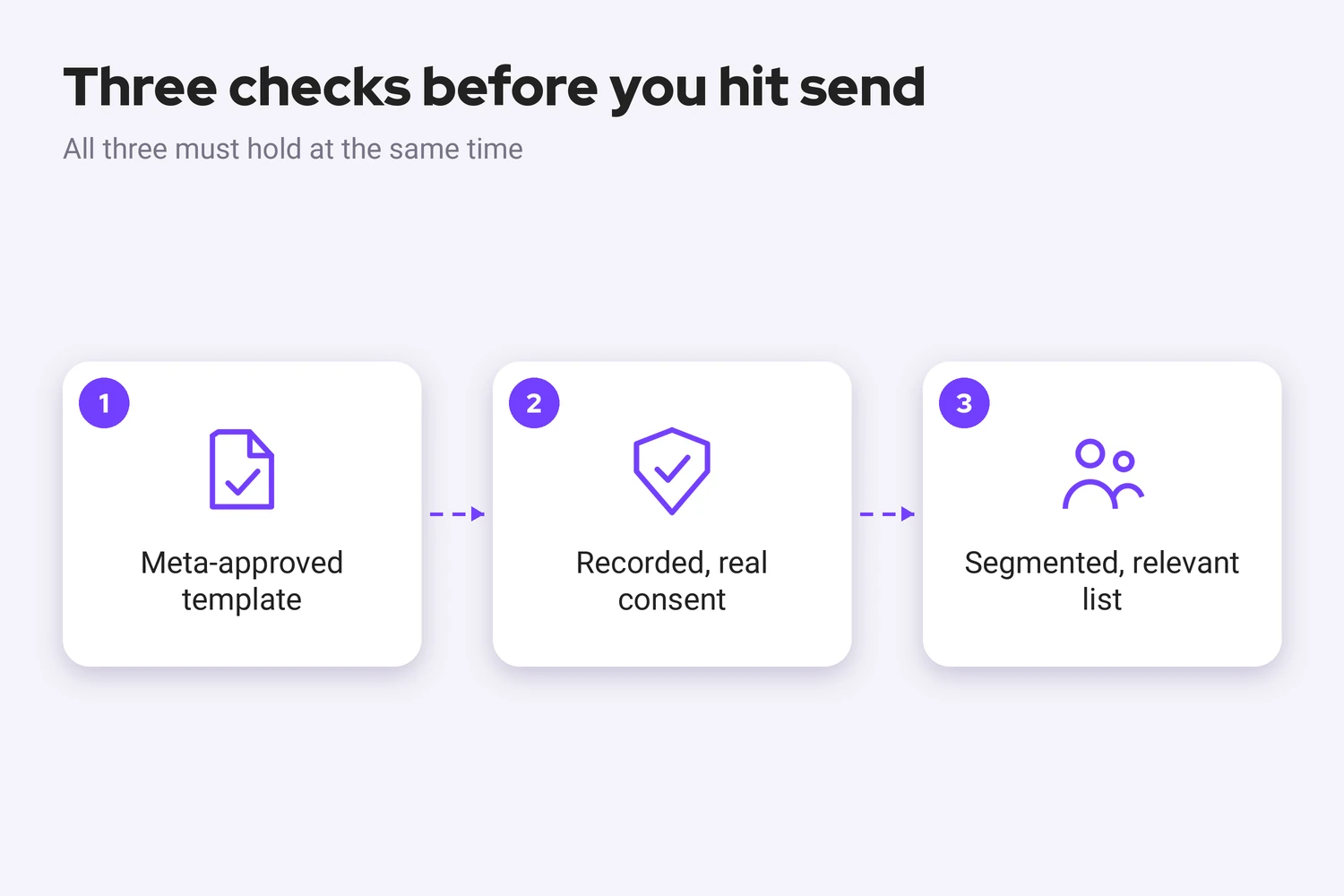
Compliant bulk messaging on WhatsApp comes down to three things staying true at the same time: an approved template, real consent behind every recipient, and a list that's actually relevant to what you're sending. Miss any one of those and the technical setup stops mattering, because the report or block happens at the recipient's end, not in a dashboard. See how Saysimple's Engage feature handles broadcast campaigns, or book a demo to walk through setting up your first compliant send.
Relevant posts
- WhatsApp Business App Account Blocks in 2026: What's Happening and How to Avoid Them
- GB WhatsApp and WhatsApp Plus: Why Mod Apps Are a Bad Bet for Your Business
- WhatsApp Quality Rating Explained: What It Is and How to Keep It Green
- WhatsApp Message Template Guidelines: Why Templates Get Rejected and How to Write Ones That Get Approved
- WhatsApp Business Terms of Service Explained: The Commerce and Messaging Policies in Plain Language
- WhatsApp Coexistence: Keep Your WhatsApp Business App and Still Automate Customer Chats
- How Much WhatsApp Messages Will Cost From October 2026
Sources
- WhatsApp's Business Messaging Policy, covering the 24 hour customer care window and opt in requirements for business initiated conversations.
- Meta's WhatsApp Business Platform overview, covering message templates and bulk messaging at scale.



